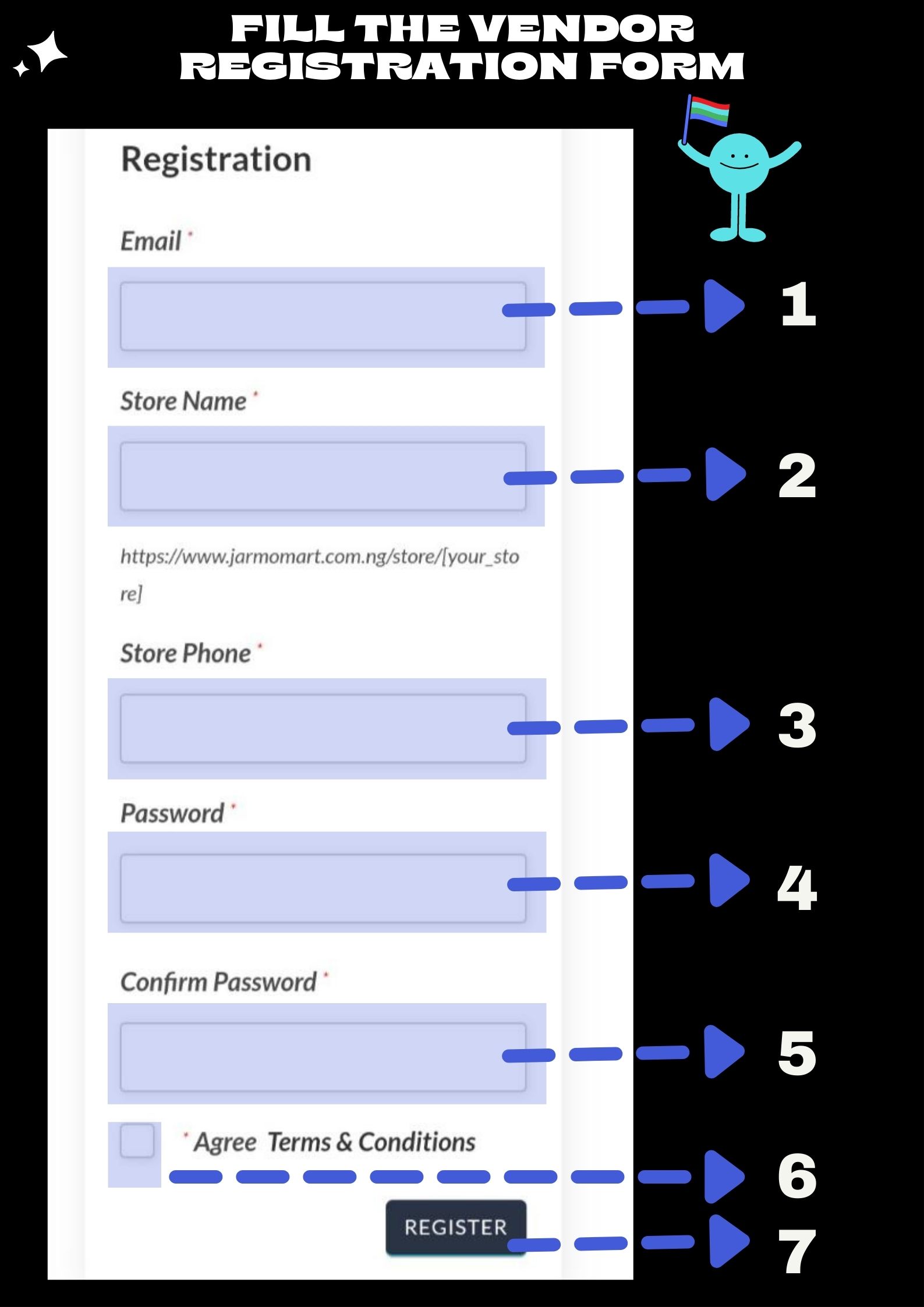
How To Set Up Your Online Store On Jarmomart Marketplace Facebook-f Twitter Google-plus-g Envelope Your Free Online Store Is Here Register as a Vendor Now 1. Create A Vendor Account You can create a vendor account by following these steps on the Vendor registration page. You will be required to fill the following information for the basics. Please ensure you give accurate information to avoid loss of your account:Email: Your correct mail address.Store Name: The name of your store. Note that the url of your store will be created with the name you fill here.Store Phone: Please fill in the number on which customers can reach you here.Password: Please use a password you can remember. Only you can know your password. Do not give anyone your password.Confirm Password: Fill in the same PasswordAgree to terms and conditions: Make your you tick this box.Register: Finally Click on this box and your store is automatically set up. Register as a Vendor Now Set Up Your Store Follow the prompts after registration to set up your store immediately, or skip set up till another time. so that you can start adding your products right away. Read More Add Your Products and start selling Upload your products as shown.. Read More The Best Experience Ever I am excited to be selling on Jarmomart. They make selling easy for me online. bravo guys! Chris Online Retailer Set Up Your FREE Store And Start Selling Now Register As A Vendor Now Discover 8 Amazing Things You Can Do On Jarmomart